


Why Your Business Isn't Showing Up on Google Maps (And How to Fix It)
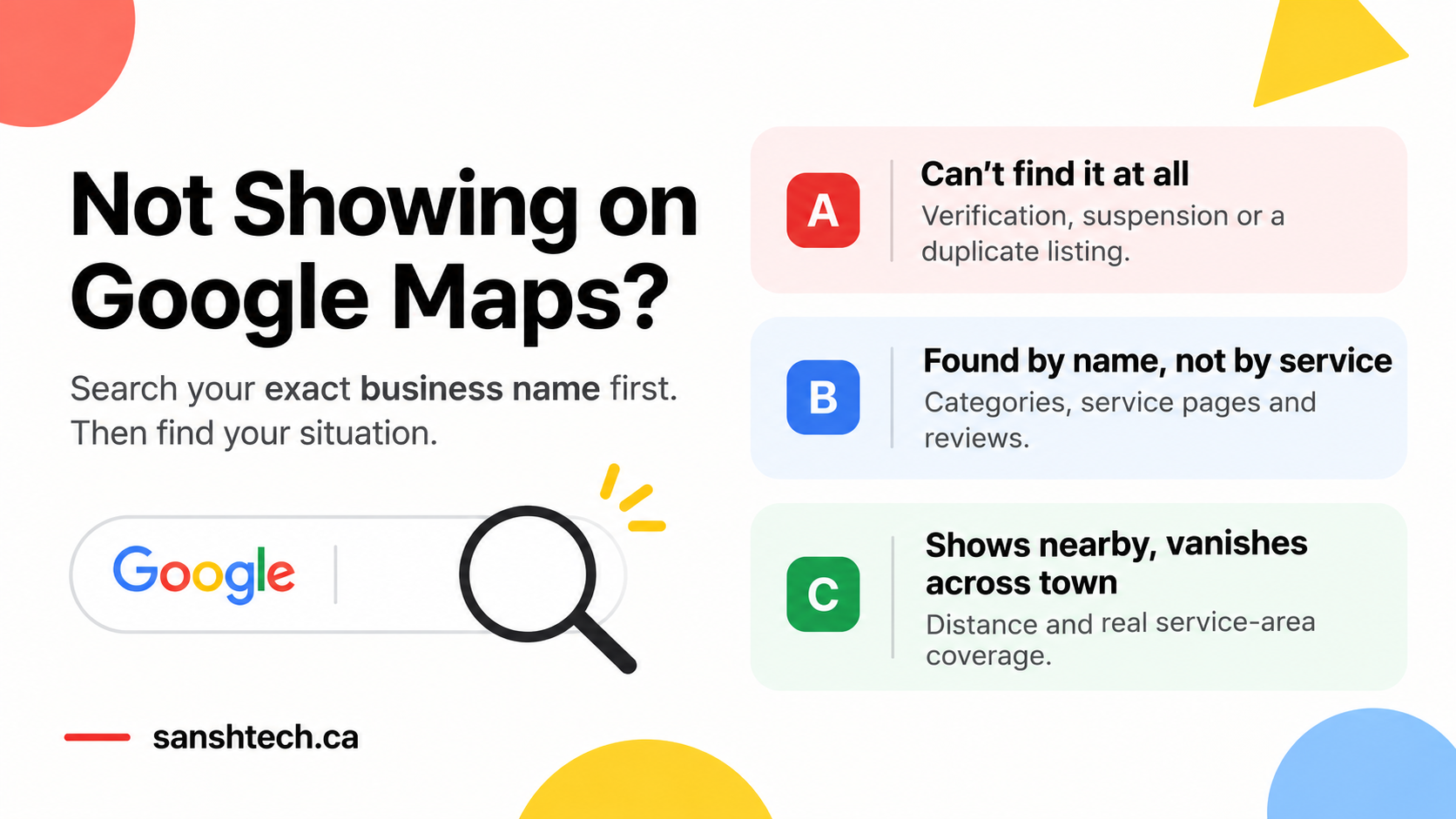
The short answer: a business not showing on Google Maps usually has one of three problems. Its profile is not verified or has been suspended, Google does not see it as relevant enough for the service being searched, or competitors are closer to the person searching. Search your exact business name on Google Maps first. If it appears by name but not for your services, the fix is local SEO. If it does not appear at all, the fix is inside your Google Business Profile.
You type in your service and see three competitors. One has fewer reviews. One has a website that looks ten years old. One is farther from the customer than you are. They all show up on Google Maps, and you do not.
Every one of those searches is a customer ready to call someone. When a business is missing from the map, those calls still happen. They just go to whoever is listed.
SanshTech helps Calgary businesses get found on Google Maps and Google Search. We will review your Google Business Profile and tell you exactly what is holding it back.
First, run this 30 second Google Maps test
Before changing your website, paying for SEO or creating a new listing, open Google Maps and search your exact business name plus your city. For example: ABC Auto Service Calgary. Do it in a private browser window so your own account does not change the results.
1. Your profile is not verified yet
You spent an evening setting up your Google Business Profile. Name, phone, hours and photos are all in. But when you search for it, nothing shows up.
A brand new listing is the simplest case of a business not showing on Google Maps. Creating a profile does not make it public right away. Google has to confirm the business is real and that you are allowed to manage it. Google says verification reviews take up to 5 business days, and occasionally longer.
- Sign in to Google Business Profile with the account that created the listing
- Look for any message asking you to verify or finish extra steps
- Complete verification before editing anything else, since edits can restart the review
- Once verified, search your exact name again while signed out
Your dashboard shows you the profile even when customers cannot see it yet, so always check while signed out.
2. Your business shows up by name, but not for your services
This is the most common reason for a business not showing on Google Maps. Take a Calgary HVAC company. Search its name and everything looks fine. Search "furnace repair Calgary" and it is nowhere near the top.
Google ranks local results on three things, in its own words: relevance, distance and prominence.
- Relevance: how well your profile matches what someone searched
- Distance: how close your business is to the person searching
- Prominence: how well known your business is, including reviews and links from other sites
A verified listing can still be weak on all three. Here is where to look:
- Primary category. It carries the most weight. "HVAC contractor" and "Furnace repair service" are different categories, so pick the one that matches your main money service.
- Services list. Add every real service in your profile, with a short description for each.
- Service pages on your website. If you sell furnace repair, you need a page about furnace repair, with prices, areas served and real photos. A homepage that says "quality service at affordable prices" tells Google nothing.
Real example: Master Tech HVAC came to us with almost no visibility. After we rebuilt its service pages and local SEO, it reached the top 13 for several keywords and now gets 1 to 2 leads a week from its website.
3. Competitors with fewer reviews are ranking above you
Your business has 65 reviews and a 4.8 rating. The company above you has 28. It feels unfair.
Google does say that more reviews and positive ratings can help your local ranking. Reviews are one factor out of several. A competitor can still win because it is closer to the searcher, has a better matching category or has a website that explains the service more clearly.
- Check your category and services against the competitor's
- Compare their service page to yours for the same search
- Keep asking every happy customer for an honest review, and reply to each one
- Never buy reviews. Google removes them and can restrict your profile
Reviews help a business rank. They help it get chosen even more.
4. Competitors are breaking Google's rules
This one surprises most owners. Search almost any trade in Calgary and you will find listings like "Calgary Furnace Repair 24/7 Best HVAC Experts." That is keyword stuffing, and it breaks Google's guidelines. It also works, which is why so many businesses do it.
Other common tricks include fake addresses at virtual offices, several listings for one business and fake reviews. These listings can push honest businesses down the map until someone reports them.
- Suggest an edit: open the listing in Google Maps, click "Suggest an edit" and correct the business name to its real name
- File a complaint: use Google's Business Redressal Complaint Form for fake addresses, misleading names and businesses that do not exist
- Keep proof: take screenshots of the listing, their website and their real business registration
Do not copy them. Adding keywords to your own business name can get your profile suspended, and that costs far more than a lower ranking.
Some of the businesses sitting at the top of the map have no real office at the address they list. Every call they get is one an honest local business never had a chance at.
5. Your business details do not match across the web
Google compares what your profile says with what the rest of the internet says. If your Google listing shows one phone number, your website another, and Yelp still has your old address, Google becomes less sure which details are correct.
- Use the exact same business name, address and phone number everywhere
- Update your website footer, contact page and Facebook page first
- Fix old listings on Yelp, YellowPages, Bing Places and Apple Business Connect
- Check industry directories you have listed with in the past
This is slow, boring work, and it is one of the most common reasons a business is not showing on Google Maps after a move or a rebrand.
6. You serve all of Calgary but only show up nearby
A carpet cleaning company based in northwest Calgary serves the whole city. It added every quadrant to its service area. It still mostly appears in searches close to its base.
That is normal. Adding an area to your profile tells Google where you work, and distance still applies. Someone searching "carpet cleaning near me" in the southeast will usually see businesses closer to them first.
- Set service areas to where you actually work
- Build one useful page for each area you serve often, with real jobs, photos and details from that area
- Collect reviews from customers in those areas, since they often mention the neighbourhood
- Avoid copy-paste city pages that only swap the city name. Google treats them as low quality
7. You run your business from home
Plumbers, cleaners, landscapers and mobile mechanics often register at a home address because that is where they manage the business. Customers never visit it.
A home address set up the wrong way is a quiet cause of a business not showing on Google Maps. Google treats this as a service area business. If you travel to customers, set your profile as a service area business and hide your address. Only show an address if customers visit a real, staffed location during your hours. A virtual office or mailbox does not count.
- Check your business type in your profile settings
- Hide a residential address and list your service areas
- Never rent a virtual office just to appear in a better neighbourhood. It is a common reason profiles get suspended
8. Your listing was showing before and now it has disappeared
You used to get calls from Google Maps. Then they stopped. Something usually changed: a new address, a new business name, a category switch or an agency editing your profile.
- Sign in and look for warnings, pending edits or requests to verify again
- Check your business name, address and primary category for unexpected changes
- Search your exact name while signed out to see if the listing still exists
- If it is suspended, follow Google's appeal process
Do not create a second listing. Your original holds your reviews and history, and duplicates usually make the problem worse. If the listing still exists but lost rankings, look at recent changes and new competitors before assuming it was suspended.
9. People find you on Google Maps but do not call
Sometimes the business is visible, and customers still pick someone else. Think about how you choose a mechanic. You compare reviews, look at photos and check the website before calling.
Picture two plumbing companies side by side. The first has no photos, old hours and a website that barely explains what it does. The second has real job photos, recent reviews, clear services and a phone number at the top of the page. The second one gets the call almost every time.
- Correct hours, including holidays
- Real photos of your team, vehicles and finished work
- Replies to every review, good and bad
- A website that loads fast on a phone, with the phone number easy to tap
- Clear prices or price ranges where you can share them
Showing up gets a business considered. Trust gets it the call.
How to track if your Google Maps fixes are working
Open the Performance section of your Google Business Profile. It shows how people found you, plus calls, website clicks and direction requests.
Say your profile had 180 views last month and 260 this month. That is more visibility. If calls stayed flat, the problem has moved from being found to being chosen, so focus on getting chosen.
Profile calls count taps on the call button, not answered calls or booked jobs. Track booked jobs from Google separately, because that is the number that pays the bills.
Owners who only watch rankings often celebrate a jump while the phone stays quiet. The ones who track booked jobs know exactly what each fix was worth.
Business not showing on Google Maps? Fix this first
| Your situation | Check first |
|---|---|
| Cannot find it by exact name | Verification and profile status |
| Disappeared after a change | Re-verification, edits or suspension |
| Found by name, not by service | Primary category, services and service pages |
| Keyword-stuffed competitors above you | Suggest edits and file a redressal complaint |
| Recently moved or rebranded | Business details across every directory |
| Shows nearby, not across town | Distance and real area pages |
| Found but no calls | Reviews, photos, hours and your website |
Pick the one situation that fits and start there. Fixing everything at once makes it impossible to tell what worked.
Frequently asked questions
Why is my business not showing on Google Maps even though it's verified?
Verification only makes your listing eligible to appear. If it shows up when you search your exact business name but not for your services, Google is ranking competitors above you for relevance, distance or prominence. Fix your primary category, add your real services, build clear service pages on your website and keep collecting honest reviews.
How long does it take for a new business to show up on Google Maps?
Google says verification reviews take up to 5 business days, and occasionally longer. Once verified, your listing should appear when someone searches your exact business name. Ranking for competitive service searches takes longer. With our clients, we usually see early movement within 30 to 45 days of fixing the profile and website.
Do more Google reviews improve my Google Maps ranking?
Yes. Google says more reviews and positive ratings can help your local ranking. Reviews are one factor out of several, so a closer or more relevant competitor can still rank above a business with more reviews.
Can I report a competitor who is breaking Google's rules?
Yes. You can suggest an edit on their listing in Google Maps, or use Google's Business Redressal Complaint Form for misleading names, fake addresses and businesses that do not exist. Keep screenshots as evidence.
Will Google Ads help my business rank on Google Maps?
No. Google Ads can place your business in paid spots above the map results, but it does not change your organic Google Maps ranking. Paid and organic results are separate.
Should I hire someone to fix my Google Maps ranking?
If the problem is verification, wrong details or a suspended profile, you can usually fix it yourself using the steps in this guide. If your profile is verified and correct but competitors keep outranking you for your main services, that is competitive local SEO, and that is where expert help pays for itself.
Find out exactly why your business is not showing up
SanshTech works with Calgary businesses on Google Business Profiles, local SEO and websites that turn map views into calls. We will check your listing, see where you appear for your main services across the city and show you which fix will move the needle first.
Book a free 30 minute call. We will look at your Google Business Profile with you and tell you what to fix first.